Own Your Digital World Presents
190 Ai image styles for unboring results
Use the Style-to-Prompt Companion AI inside ChatGPT to turn styles into ready-to-use image prompts for brand visuals, funnels, offers, or wherever you need visuals online - powered by a vault of 190 curated styles with example images
for a limited time:
23$
(+VAT where applies)
instant digital PDF download

Most AI image tools assume you already know what to type
They drop you into a blank prompt box and quietly expect you to figure it out from there
"I don’t actually know what styles exist"
I keep seeing the same kinds of images over and over.
I know there must be more out there, I just haven’t been exposed to it.
It’s hard to choose a direction when I don’t even know what the options are. Sometimes... I wish something would just show me the possibilities.
“I don’t want to learn another thing”
I’m already learning enough.
I don’t want tutorials, theory, or another skill to master.
I just want something I can use without turning it into homework. Honestly… something that does most of the thinking for me would be nice.
“I’m not a designer”
I don’t want to think about rules, techniques, or theory.
I don’t want to care about focal length, lighting ratios, composition grids, or whatever designers obsess over.
I just want visuals that look good and usable where I need them.
Preferably... without me having to become a designer first.
"I want to try different styles and be surprised"
I don’t want to become a master at prompting.
I’m honestly a little bored of the same AI trends.
I want to open something and think,
“Oh… that’s actually really cool.”
Something ... that helps me explore ideas without me having to engineer every detail myself.

See how the Style-to-Prompt Companion works
Click the video to PLAY (1 min)
Basically?
That friend who sends you inspo when your brain’s is not braining for any styles.
1. Pick a Style
Already found a style in the vault you like?
Just enter the style number.
Not sure which direction to go yet?
Answer a few simple questions and the Companion suggests three styles from the vault to start with.
2. Fill in a Few Blanks
Instead of writing a complex prompt from scratch, you’ll simply use a "fill in a few blanks" method.
The Companion guides you step-by-step and even offers suggestions for each part if you need.
3. Build the Prompt
Once the "blanks" are filled through a guided flow; the Companion generates your enhanced image prompt based on the style you selected.
So even a vague idea can turn into something interesting.
4. Generate the Image
Use the prompt in ChatGPT or another DALL·E-based tool to generate your image, then use the visual wherever you need it - brand visuals, funnels, offers, landing pages, content or for basically anything.
Inside the 190 Ai Image styles for Unboring results:
Everything you need to go from “that style looks cool” to a finished image you can actually use in your brand, funnels, offers, or content
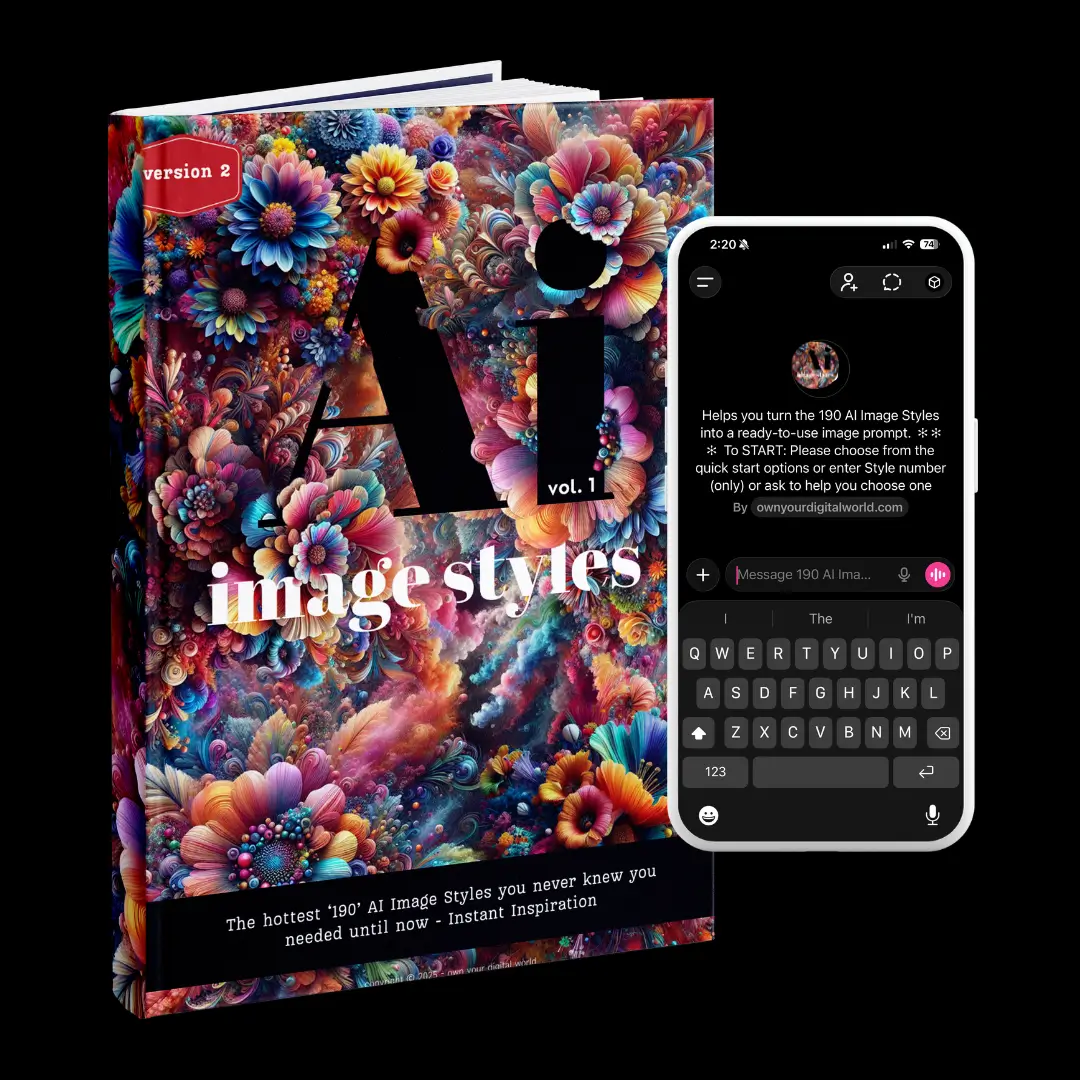
The 190 AI Image Styles Vault PDF
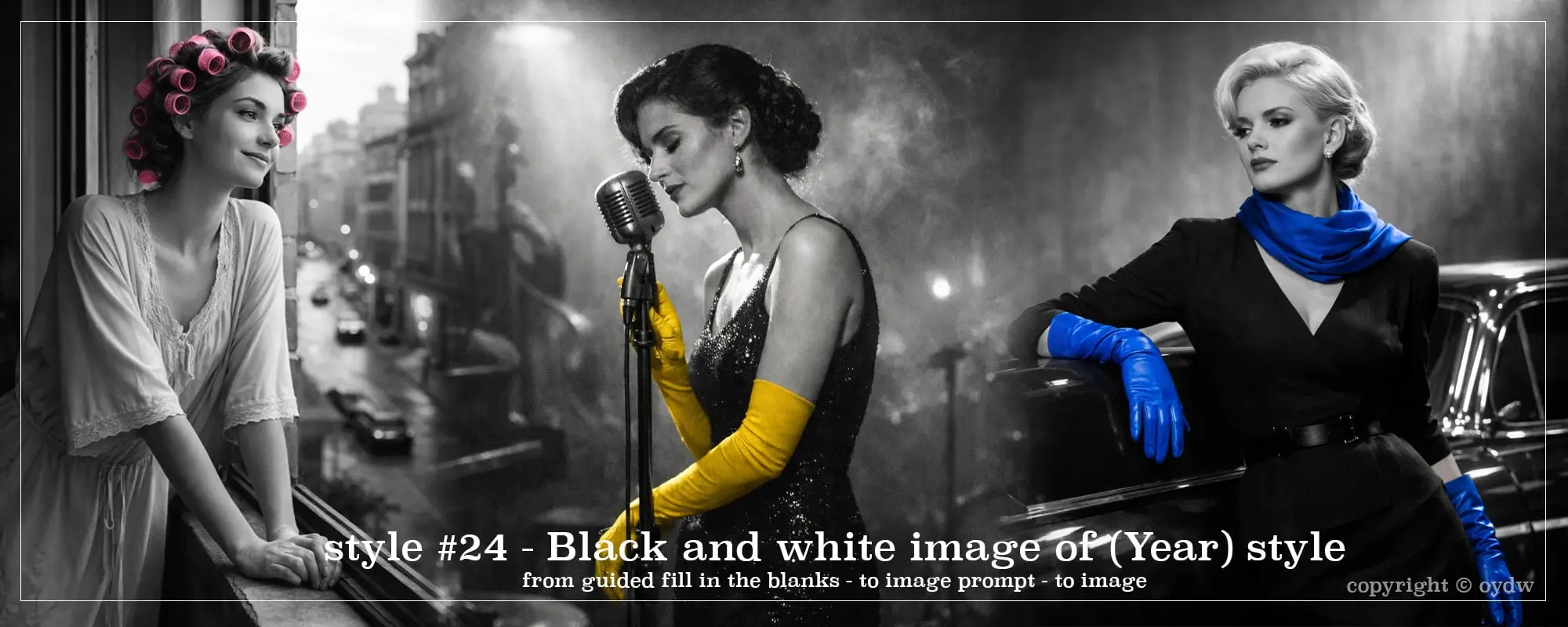
A beautifully designed 222-page visual vault with 190 curated AI image styles you can browse whenever you need direction or inspiration.Each style includes:
- a visual example
- a short description
- a short prompt
- an expanded prompt
- a fill-in-the-blank template
So instead of guessing what style might work, you can flip through the vault, spot something interesting, and start generating.
The Style-to-Prompt Companion GPT
This works together with the styles in the vault.
- Already know the style you want?
Enter the style number, answer a few quick prompts, and it builds an enhanced image prompt for you. - Not sure which style to use?
Answer a few questions and it narrows things down to three styles from the vault, then guides you through creating your prompt.
It’s a super easy & step by step guided way to turn style → prompt → image inside ChatGPT.
BONUS: The “Not Really a Guide” Guide to Getting Inspired With AI Image Styles
This isn’t a step-by-step how-to tutorial.
Instead, this 21-page bonus gives you a fun, lightly helpful scroll-through filled with:
- Why AI styles are worth using
- Where to sneak them into your biz
- Some quirky, unconventional uses
- A mini prompt word bank
- A few fun + brand-friendly prompt ideas
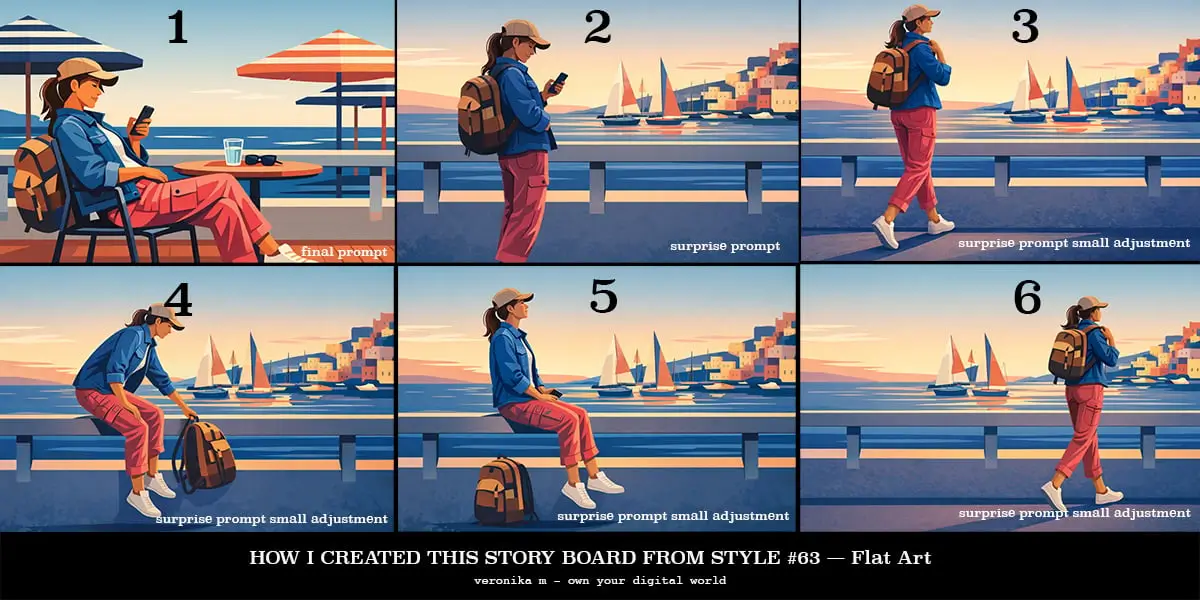
Some example images I created with the Styles-To-Prompt Companion GPT

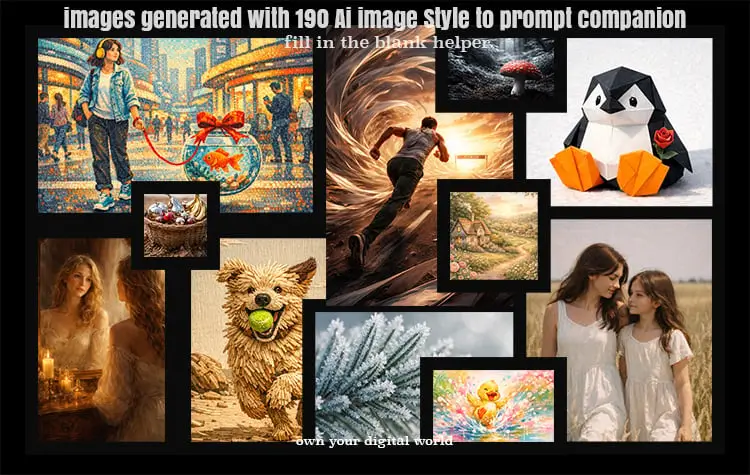
As someone who designs websites, funnels, digital products, and all the visual things that go with them, I constantly need great images.
So when AI image tools started popping up everywhere, I thought: Perfect. This is going to save me so much time.
Except… that’s not exactly what happened. lol
Because even with AI, I found myself staring at a blank screen thinking ⏐
“Wait… what style am I even going for?”
And no, I wasn’t about to deep-dive into photography terms or prompt engineering just to get one halfway-decent image. So I did what any creative trying to save their sanity would do: started collecting. Every time I came across a style I liked, I saved it.
Over time, I tested different prompts inside free tools like Microsoft Designer and Bing Image Creator (both DALL·E 3-powered), added notes, and built a full vault I could actually use. Eventually, I realized I had something way more valuable than a messy folder:
A full swipe-able vault of AI image styles I could browse whenever I needed a direction and create not so cookie-cutter images.
But then another problem came along: Even after choosing a style, I still had to figure out how to turn that style into a good prompt with the idea in my head.
So, I built a guided Styles-To-Prompt Companion inside ChatGPT that works with the vault.
So, I built a guided Styles-To-Prompt Companion inside ChatGPT that works with the vault.
It helps you choose a style if you’re unsure, or turn one you already picked into a ready-to-use image prompt.And suddenly the whole process became a lot simpler:
pick a style → build the prompt → generate the image
instant digital PDF download (+VAT where applies)

Before the 190 Styles Vault + Companion
- You open the AI tool and stare at the prompt box… no idea what to type
- You try random prompts and get very “meh” results
- You scroll for inspiration and somehow lose an hour
- You want interesting visuals but don’t know which direction to take
- Tutorials = annoying = who has time for that just to create one image?
After the Vault + Style-to-Prompt Companion
- You browse the styles and instantly think “That’s the vibe.”
- The Companion helps turn the style into a prompt
- You generate the image and move on with your life
- Trying new visual directions suddenly feels fun again
- Your brand, funnels, and content suddenly look a lot less… cookie-cutter.
Some of the most asked questions and the answers...
“Will this work with the AI tool I’m using?”
Images were generated and tested with DALL·E 3 from Microsoft Designer & Bing Ai image generator tools. Other platforms may interpret styles differently - but the inspo still works. No extra software or subscription required.
“Isn’t this just stuff I can find online?”
You can find image styles online.
What usually takes time is discovering them, testing prompts, refining them, and organizing everything into something you can actually use.
The vault brings 190 curated styles with examples and prompt templates together in one place & the Style-to-Prompt Companion inside ChatGPT helps turn those styles into usable prompts with your idea, and the little bonus gives you extra ideas how to use them.
So instead of searching, experimenting, and piecing things together, you can simply browse → choose → generate.
“I’m not a designer - will I even use this?”
You don’t need to be a designer.
The styles give you visual directions, and the Companion helps guide the prompt creation.
If you’re not sure what to create, the Companion can suggest styles and help you fill in the prompts step-by-step.
The idea is to make generating interesting visuals easier, not more technical.
“I’m probably not going to use this...”
Fair.
A lot of downloads end up sitting in a folder somewhere.
That’s partly why the Style-to-Prompt Companion exists.
Instead of opening a PDF and trying to figure everything out yourself, the Companion helps you turn a style from the vault into a usable prompt in minutes.
Pick a style (or let it suggest one), answer a few quick prompts, and you’ve got something ready to generate.
So the vault gives you the visual direction, and the Companion helps turn that direction into an actual image.
“Can I get a refund?”
Because this is a digital download delivered instantly, all sales are final. But if you love cool visuals and hate blank screens, you’ll love this.
If you have questions before buying, feel free to reach out.
Can I use the vault PDF without the Companion (or vice versa)?
You can absolutely use the 190 Styles Vault on its own - just browse the styles and copy the prompts directly into your image tool.
The Style-to-Prompt Companion GPT is designed to work with the styles in the vault and is not a standalone tool!
It uses the style numbers and prompt structures from the PDF to guide you through building an enhanced image prompt.
So while the vault works perfectly fine by itself, the Companion GPT is meant to be used alongside it, not separately.
This collection gives you 190 personally tested AI image styles with ready-to-use prompts +a guided Companion inside ChatGPT.
Create instantly. No prompt skills needed. No blinking cursor syndrome⏐.
23$
instant digital download + access
Copyright © 2026 - Own Your Digital World - Privacy Policy - Terms & Conditions
